
v1.0
Last Update : Feb 2022
Ubax- Taxi Booking & Taxi Driver Mobile App UI Kit
Ubax is a premium taxi booking and driver app UI kit designed in Adobe XD for a flawless, Uber-inspired ride-hailing experience. Across 20+ pixel-perfect rider and driver screens with neatly grouped layers, it is a refined start on any ride app.
114 sales
14K views
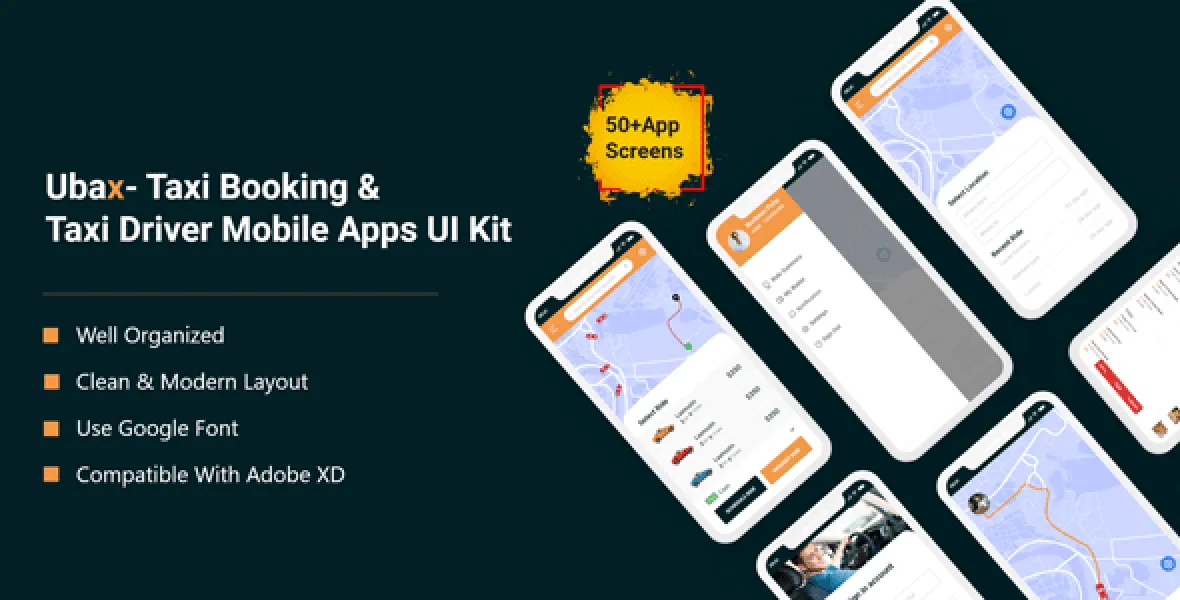
Ubax-The UI Kit is a high-quality pack designed for Taxi Booking & Taxi Driver. a Taxi and car project based on Uber. This UI kit is included with 20+ screens. Every screen layout is designed to be simple, elegant and modern. All layers are well-organized to accelerate your design process. Design Create by Adobe XD .The overall mobile app design provides its users with seamless experience due to its flexibility and ease of use.
- 20+ Mobile App Screens for Taxi Booking
- 20+ Mobile App Screens for Taxi Driver
- Modern and Clean Design
- Purposeful Pages
- Symbol Objects
- Compatible with Adobe XD
- Unique and Creative Design
- Easily Customizable Files
- 100% Pixel Perfect
- Well Organized & Grouped Layers
- Notifications Page
- Privacy & Policy
Included Features
- Notification
- Ride Summary
- Navigation
App Screens (Taxi Booking)
- Splash Screen
- Onboarding 01
- Onboarding 02
- Onboarding 03
- Onboarding 04
- Sign Up
- OTP Send
- OTP Verification
- Account Successfully Done
- Sign In
- Search Taxi
- Ride Summary
- What Is Your Name
- Select Location
- Select Ride
- Set Date & Time
- Cancel Ride
- Payment
- Payment Successful
- My Card
- Tracking Ride
- Call Driver
- Messages
- Notification
- Payment
- Appointment Done
- Call
- Messages
App Screens (Taxi Driver)
- Splash Screen
- Onboarding 01
- Onboarding 02
- Onboarding 03
- Sign Up
- OTP Verification
- Account Successfully Done
- Sign In
- You're Offline
- You're Online
- Accept Ride
- Cancel Ride
- Cancel Yes or No
- Arrived Ride
- Rating
- My Card
- Notification
- Call Driver
- Messages
- Menu
- Today Earning
- Weekly Earning
- Driver Rating
- Tracking Ride
- Payment
- Appointment Done
- Call
- Messages
Editing Process
You can edit any text, colors, or any component by double click and change the same Add or Replace Images: Select the Group Layer of a section of the Template, then double click on the single-layer where you can put an image; now on the right you can see a menu with a lot of options of customization, just click choose an image and done!
Third-Party Assets
What will you get along with this script?
-
Adobe XD CC
Support Facility
We provide premium support for all of our products. Whether you need help with installation and configuration, run into a technical issue, or simply have a question before or after your purchase, our dedicated team is always ready to assist you. If you need any assistance, please open a support ticket and we will get back to you with a clear solution as quickly as possible.