
v1.0
Last Update : May 2021
Hyipex - Hyip Investment App UI Design
Hyipex is a polished HYIP investment app UI kit packed with ready-to-use components and a customizable palette. With 28+ unique layouts and 30 screens spanning plans, deposits, Stripe payments and withdrawals, it gives designers a flying start.
22 sales
12K views
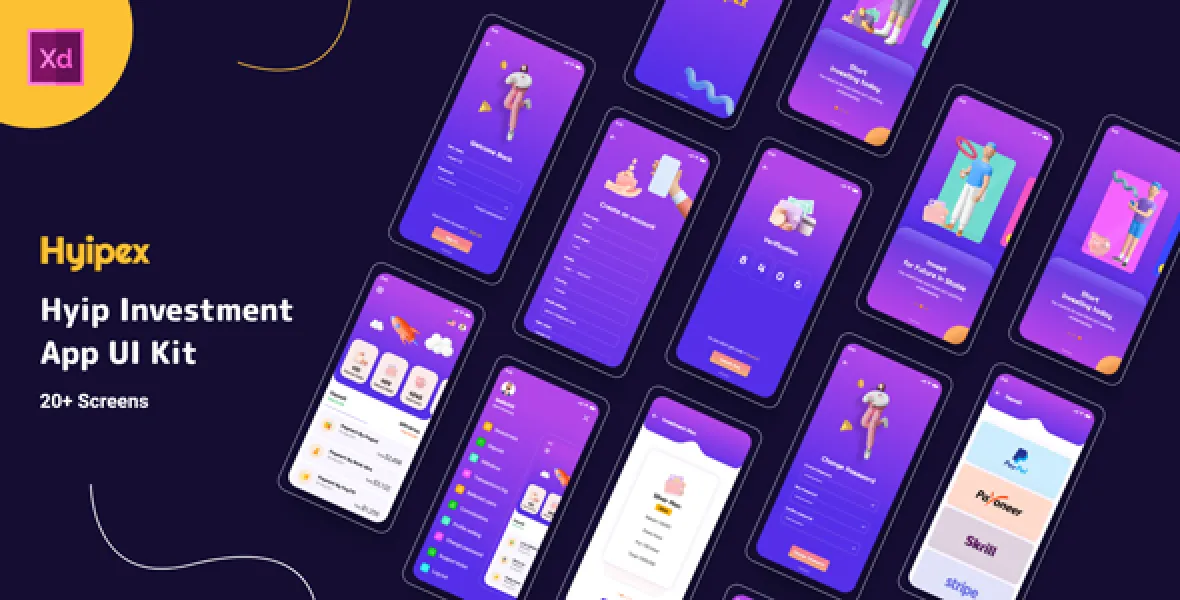
Hyipex App UI Kit is perfect for your Hyip investment app UI design and project, it contains ready-to-use components, Typography, Design System, and customizable Color Palette. Over 28+ Unique Layouts, we covered almost every aspect of a Hyip investment App would require.
- 30 Mobile App Screens Totally
- Dark and Light Mode
- Modern and Clean Design
- Purposeful Pages
- Symbol Objects
- Compatible with Figma & Sketch
- Unique and Creative Design
- Easily Customizable Files
- 100% Pixel Perfect
- Well Organized & Grouped Layers
App Screens
- Splash Screen
- Onboarding 01
- Onboarding 02
- Onboarding 03
- Sign In
- Sign Up
- OTP Verification
- Change Password
- Home
- Menu
- Investment Plan
- Confirm to Invest in Silver
- Deposit
- Payment by Stripe
- Withdraw
- Withdraw by Stripe
- Referred User
- Profile Setting
- Profit Calculator
- Transfer Balance
- Notification
- Change Language
- Transactions Log
- Referral Commission
- Support Ticket
- 2FA Security
Installation Process
- 01. Go to Adobe XD on Academic Software and click on the green button ‘Download Adobe XD’ to download the installer.
- 02. Open the .exe installer file from your downloads folder to start the installation.
- 03. Once the installation is completed, the startup screen of Adobe XD will appear. The program is now installed and ready to use
Editing Process
You can edit any text, colors, or any component by double click and change the same Add or Replace Images: Select the Group Layer of a section of the Template, then double click on the single-layer where you can put an image; now on the right you can see a menu with a lot of options of customization, just click choose an image and done!
Third-Party Assets
What will you get along with this script?
-
Adobe XD CC
Support Facility
We provide premium support for all of our products. Whether you need help with installation and configuration, run into a technical issue, or simply have a question before or after your purchase, our dedicated team is always ready to assist you. If you need any assistance, please open a support ticket and we will get back to you with a clear solution as quickly as possible.